 CCTV
CCTV NETWORK
 SMART HOME
 SOFTWARE


Best Practices for Maintaining Your CCTV System

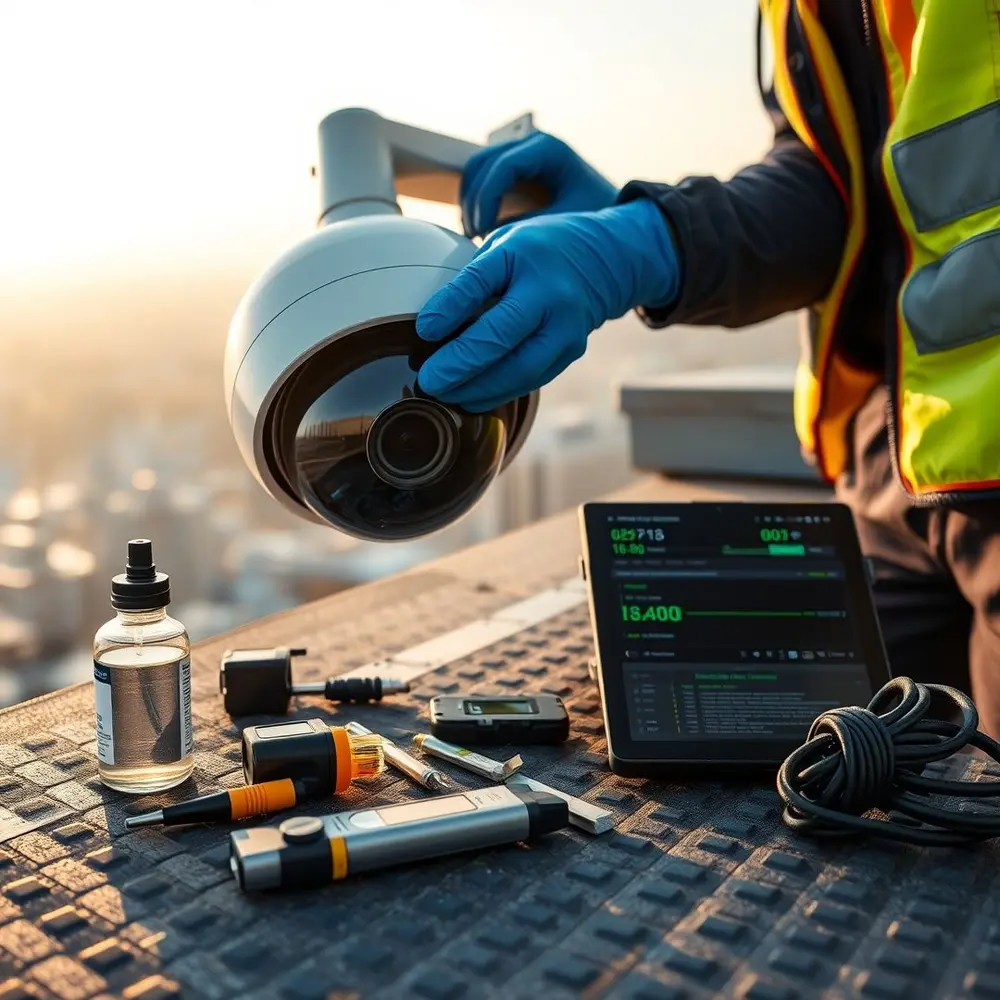
Closed-Circuit Television (CCTV) systems form the backbone of modern security for homes, businesses, and public spaces. They deter crime, provide critical evidence, and offer peace of mind. However, simply installing cameras isn’t enough. Without consistent and thorough maintenance, even the most advanced system can fail when you need it most—leaving you vulnerable. Dust accumulates, software becomes outdated, cables deteriorate, and storage fills up. This guide dives deep into the essential best practices for maintaining your CCTV system, ensuring it remains a reliable guardian. We’ll cover everything from routine physical inspections to cybersecurity updates and professional support, empowering you to maximize your investment and keep your security intact.
Regular Visual Inspections and Physical Checks
Routine visual inspections are your first line of defense against system failures. Walk your premises monthly to check every camera’s position. Ensure they’re securely mounted and haven’t been accidentally knocked or vandalized. Verify their field of view: overgrown foliage, new constructions, or accumulated debris might obstruct crucial angles. Examine housings for cracks or water seepage, especially after extreme weather. Check junction boxes and conduits for signs of tampering or damage. Pay attention to environmental factors—cameras exposed to salt spray, dust storms, or extreme temperatures may require specialized protective measures. This proactive approach identifies minor issues before they escalate into costly repairs or blind spots in coverage.
Consistent Lens and Housing Cleaning
Dust, pollen, spider webs, bird droppings, and environmental grime severely degrade image quality. Clean camera lenses and housings every 1-3 months, adjusting frequency based on location (e.g., near construction or in industrial areas). Use a microfiber cloth and lens cleaning solution designed for optics to avoid scratches. Avoid abrasive materials or household cleaners that can damage coatings. For dome housings, carefully open and clean the interior dome cover to prevent hazy footage caused by dust accumulation inside. Ensure rubber seals around housings are intact to maintain weather resistance. Clean external infrared (IR) sensors gently to prevent hotspots or glare in night vision. Consistent cleaning maintains optimal image clarity day and night.
Firmware and Software Updates: Keeping Your System Secure
Outdated firmware and software expose CCTV systems to significant security vulnerabilities like hacking or malware. Manufacturers regularly release updates to patch flaws, enhance performance, and add compatibility. Check your Network Video Recorder (NVR), Digital Video Recorder (DVR), camera firmware, and associated management software quarterly for updates. Enable automatic notifications if available. Always back up your current configuration before applying updates to mitigate risks. Test updates in a controlled environment if possible. Ignoring updates compromises not just video quality but entire network security, potentially leading to data breaches. Partnering with a provider offering comprehensive security solutions can simplify this critical process through managed updates.
Managing and Verifying Storage Systems
Storage is the lifeblood of your CCTV system. Regularly verify that your hard drives (HDD/SSD) in NVRs/DVRs are healthy and have sufficient free space. Use the system’s interface to monitor storage allocation and check for alerts. Ensure retention settings meet operational needs (e.g., 30+ days of footage). Defragment drives annually if your system uses HDDs. Test backup routines for recorded footage to off-site storage or cloud services. Overlooked full storage leads to missed recordings—periodically play back recordings to confirm they’re being saved correctly. For large or complex systems, RAID configurations offer redundancy; verify their status monthly. Consider upgrading to higher-capacity drives if system usage increases.
Reviewing and Backing Up Footage
Don’t wait for an incident to discover corrupted or missing footage. Schedule bi-weekly or monthly reviews: play back recordings from random cameras at different times to ensure playback is smooth and files aren’t corrupt. Verify timestamps and camera labeling for accuracy during playback. Establish a robust backup strategy for critical footage—use automated cloud backups, external drives, or network-attached storage (NAS). Encrypt sensitive data during transfer and at rest. Document the backup process and test restoration periodically. Consistent review not only ensures data integrity but also familiarizes you with normal patterns, making anomaly detection quicker during investigations.
Testing System Functionality and Alerts
Functionality tests are crucial for operational readiness. Trigger motion detection zones and video analytics features to confirm their responsiveness and accurate alerts. Test PTZ (Pan-Tilt-Zoom) functions: verify preset positions, movement range, and zoom capability. Check audio features (if equipped) for clear input/output. Ensure email, SMS, or app notifications fire promptly when events occur. Validate integration with access control or alarm systems. These tests should be conducted quarterly. Monitor live feeds during different lighting conditions to confirm auto-iris, IR cut filters, and Wide Dynamic Range (WDR) are functioning correctly. Routine testing prevents unnoticed system degradation.
Power Supply and Cable Integrity
Power fluctuations and cable damage cause frequent system failures. Inspect power supplies, Uninterruptible Power Supplies (UPS), and cables every six months. Look for frayed wires, rodent damage, loose connections, or corrosion in power connectors and PoE (Power over Ethernet) switches. Measure voltage levels at endpoints to ensure adequate power delivery. Use UPS systems to protect against surges and provide backup power during outages; test battery health semiannually. Label power and data cables clearly for easier troubleshooting. Replace damaged cables immediately—don’t rely on temporary fixes. Investing in professional installation with high-grade cabling minimizes long-term issues.
Network Security for IP-Based Systems
IP cameras and NVRs are network endpoints susceptible to cyberattacks. Implement critical security protocols: Change default usernames/passwords immediately and use strong, unique credentials. Segment your CCTV network on a separate VLAN from your main IT network to contain breaches. Disable unused ports and services (e.g., UPnP, FTP). Utilize HTTPS for secure remote access, VPNs for off-site connections, and enable multi-factor authentication (MFA) on user accounts. Configure firewalls to restrict access to authorized IPs only. Conduct vulnerability scans or penetration testing yearly to identify weaknesses, especially when integrating advanced CCTV systems. Consult security experts at megaintersec for comprehensive network hardening strategies.
Documenting Maintenance and Keeping Records
Maintain detailed logs documenting every maintenance activity, including inspection dates, cleaning, updates applied, tests performed, issues identified, and resolved actions. Record model numbers, firmware versions, IP addresses, and physical locations of each component. Keep warranty information and vendor contacts accessible. Use standardized checklists to ensure consistency. Documentation aids in troubleshooting recurring issues, provides proof of due diligence for insurance or compliance, and streamlines asset management during upgrades or expansions. Store records digitally with backups.
When to Seek Professional Help
While DIY maintenance covers basics, complex issues require specialized expertise. Call professionals for camera calibration after severe repositioning, diagnosing persistent hardware failures, recovering corrupted footage, major firmware issues, large-scale system expansions, or cybersecurity breaches. Professional technicians have the tools and knowledge for deep diagnostics, thermal imaging checks for electrical issues, advanced network configuration, and optimizing camera placement for evolving needs. Leveraging professional CCTV maintenance services ensures thoroughness and compliance with industry standards. Partnering with specialists like megaintersec provides access to routine maintenance plans, 24/7 monitoring support, and rapid response during critical situations, transforming reactive fixes into proactive security system management.
Maintaining your CCTV system is non-negotiable for reliable security. It ensures cameras capture clear, actionable footage around the clock and protects against environmental wear, technical failures, and cyber threats. By implementing regular inspections, disciplined cleaning, prompt software updates, rigorous storage management, and thorough testing, you extend the system’s lifespan and maximize your investment. Documentation provides a clear history for audits, while knowing when to engage professionals guarantees complex challenges get expert solutions. Ultimately, a well-maintained CCTV system offers more than just surveillance—it provides confidence and resilience in protecting people and assets. Schedule your next system check today and treat maintenance as a cornerstone of your security strategy.
 UNV
UNV Dahua
Dahua Hikvision
 Cisco
Cisco Mikrotik
 Dalton smart locks